
Your call sheet builds itself.
Build Friday's call sheet out of the plays you already drew. Group them into the sections you actually call from, carry the play names, the diagrams, or both, then print it. No retyping a playbook into a spreadsheet at the kitchen table.
7-day free trial. Cancel anytime.
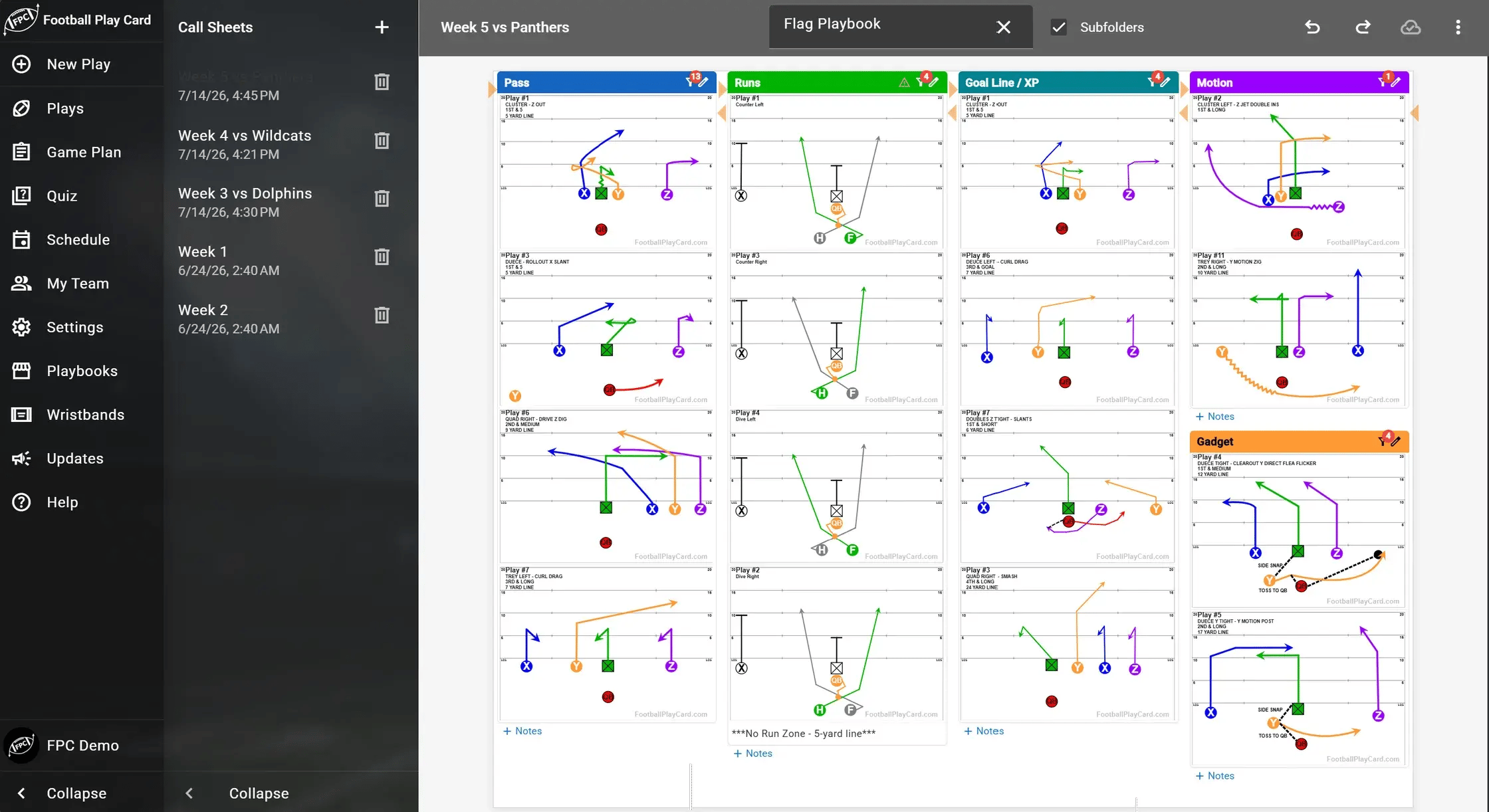
You already drew the plays. Stop retyping them.
Most staffs build the playbook in one place and rebuild the call sheet by hand in another. Game Planning closes that gap.
Filled from your tags
Point a section at a tag and it pulls in the plays that match, carrying their playbook numbers with them. Or drop in individual plays by hand.
The sections you call from
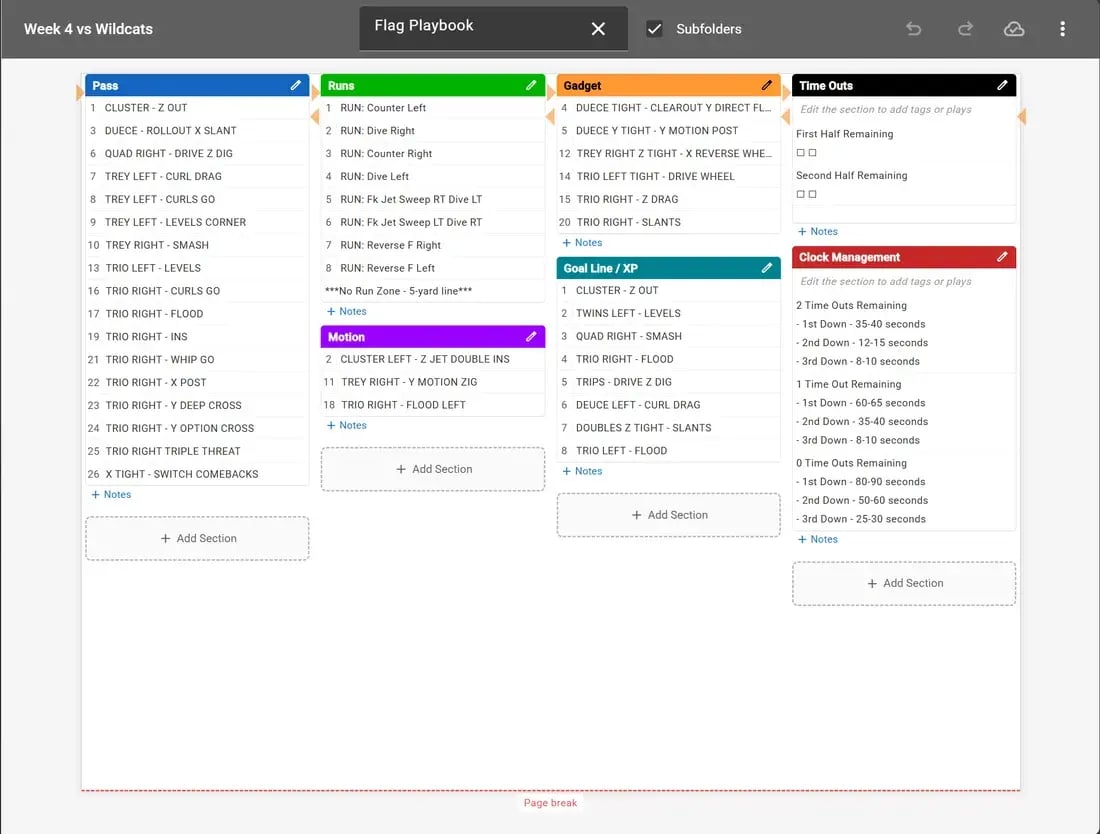
Pass, Runs, Gadget, Motion, Goal Line. Name your own sections and color them, so the sheet is laid out the way you actually call a game.
More than a play list
Add free-text sections for Time Outs and Clock Management, notes on any section, and page breaks so it prints clean for the sideline.
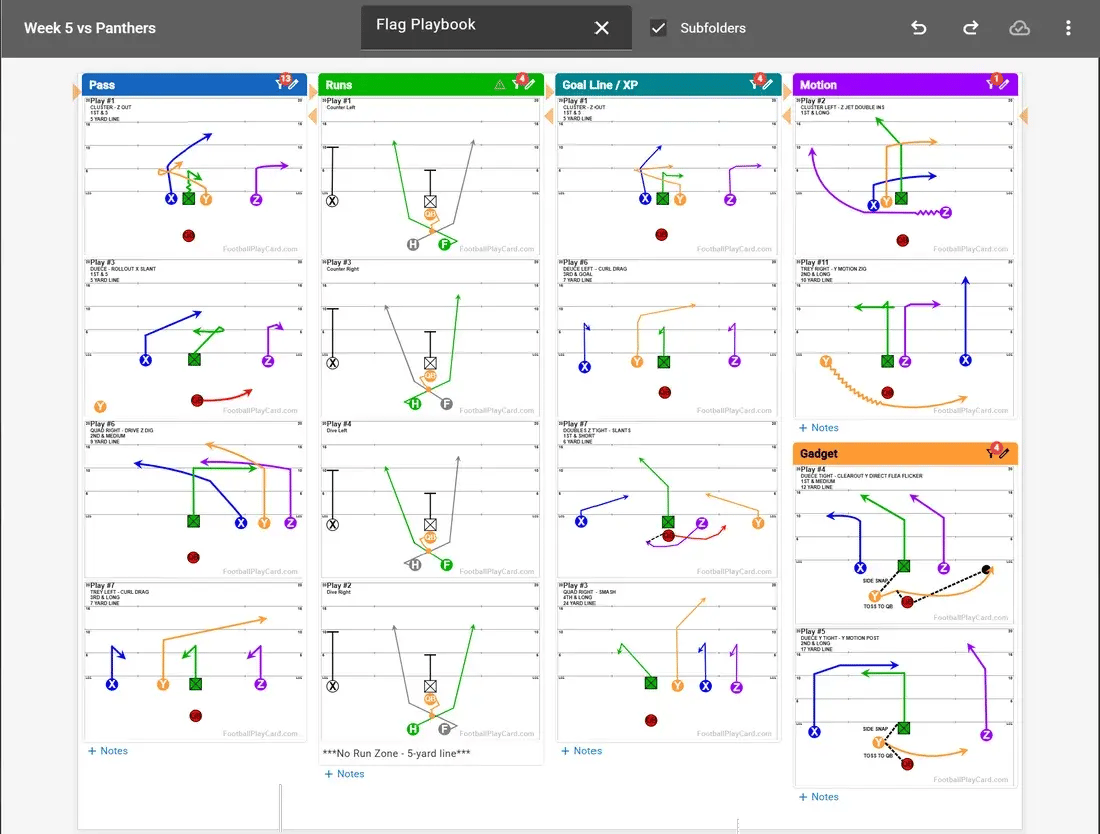
Names, diagrams, or both.
The same week's game plan, built two ways. Run it lean if you call off a name, or carry the picture if your staff wants to see it.
Tag it. Build it. Call it.
Tag your plays
Add tags like Red Zone, Two-Minute, Opener, or Week 6 to any play in your binder. A play can carry as many tags as you want.
Build the sections
Add a section for each situation you call from, then point it at a tag and let it fill, or drop plays in one at a time.
Take it to the sideline
Print it with your page breaks where you want them, and export to Excel when your staff needs it in their own reports.
One playbook. Every situation.
Tag a play the week you install it, and it shows up on every call sheet it belongs on for the rest of the season.
- Situation: Red Zone, Two-Minute, Third and Short, Goal Line.
- Concept: group the whole family of a concept and see it in one view.
- Week: pull this week's install without scrolling a full playbook.
- Smash RightRed Zone · Week 6
- Fade StickRed Zone · Week 6
- Power GRed Zone · Week 6
Which plans include Game Planning?
Game Planning unlocks on State Champion. Team and Organization plans follow the same tiers.
Individual plans
| Feature | Division Champion | State Champion | World Champion |
|---|---|---|---|
| Game day call sheet | ✕ | ✓ | ✓ |
| Custom sections, notes, and page breaks | ✕ | ✓ | ✓ |
| Play names and diagrams on the sheet | ✕ | ✓ | ✓ |
| Excel export | ✕ | ✓ | ✓ |
| Play tags and search | ✓ | ✓ | ✓ |
Team & Organization plans
| Feature | Division Champion Team | State Champion Team | World Champion Team |
|---|---|---|---|
| Game day call sheet | ✕ | ✓ | ✓ |
| Custom sections, notes, and page breaks | ✕ | ✓ | ✓ |
| Play names and diagrams on the sheet | ✕ | ✓ | ✓ |
| Excel export | ✕ | ✓ | ✓ |
| Play tags and search | ✓ | ✓ | ✓ |
Every plan includes unlimited player accounts at no extra cost.
Game Planning, answered.
Which plans include Game Planning?
State Champion and above, including the State Champion Team and Organization plans. Division Champion does not include the call sheet builder.
Can I put the play diagrams on the call sheet, not just the names?
Yes. Build the sheet with play names, with the diagrams, or with both. A coordinator who calls off names can keep it lean, and a coach who needs to see the picture can carry it.
Can the sheet hold more than a list of plays?
Yes. Alongside your play sections you can add free-text sections, so things like Time Outs and Clock Management live on the same sheet. Any section can carry its own notes, and you control where the page breaks fall when it prints.
Does it use the tags I already put on my plays?
Yes. Tags are the input. Tag a play as Red Zone or Two-Minute once, filter your Play Card Manager to that tag, and pull the matches straight onto the sheet.
Can I get it into Excel?
Yes. Exports match the column layout you have configured in the app, and custom call-sheet rows are reflected in the output, so what you see in the app is what lands in the spreadsheet.
Do I have to redraw my plays to use this?
No. Game Planning pulls from the play cards already in your binder. If the play is drawn and tagged, it is ready for the call sheet.
Build this week's call sheet in minutes.
Start a 7-day free trial of State Champion and turn your tagged plays into a game day sheet.
Cancel anytime. Works on any device.