
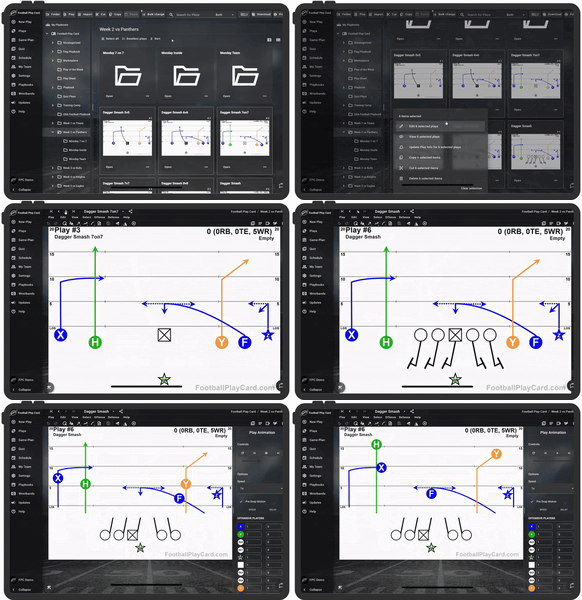
A good flag football playbook is short, simple, and built around a few things your team can run...
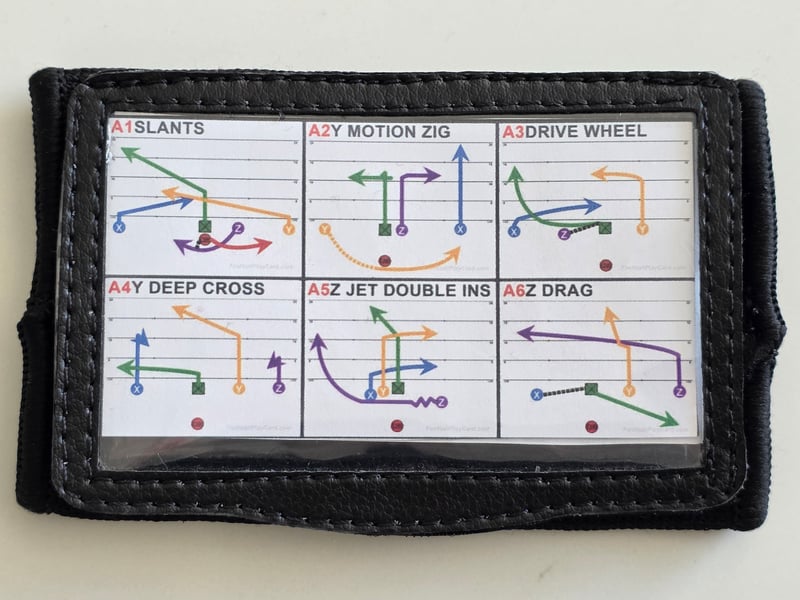
A wristband, or wrist coach, is one of the simplest ways to speed up your offense. Instead of a long huddle or shouting a full play name, you call a number, your players glance at their wrist, and everyone lines up knowing exactly what to run. Here is how to build them from your playbook.
Why coaches use wristbands
- Speed. Players get the play in seconds, which matters most in flag and in no-huddle tackle offenses.
- Clarity. Younger players do not have to memorize a full playbook. They read it off their wrist.
- In-game flexibility. You can call from a numbered script and change your plan series to series.
Step 1: Build and number your plays
Draw your plays and organize them into a play script, then assign each one a number or a simple call. In Football Play Card you can draw a clean play card in under a minute and let the app number your plays automatically, so your script and your wristband speak the same language. New to building a playbook? See How to Build a Flag Football Playbook.
Flag and 7on7 tip: if you drew your plays in Scaled mode, use Edit > Convert Field Layout to switch them to Scout Card format before you print. Every player, route, and note repositions automatically, so no work is lost.
Step 2: Choose your wristband style
Football Play Card prints three kinds of wristbands from the plays you already drew. Pick the one that matches how you call a game.
- Play diagrams. The classic wrist coach insert, with the drawn play on every card. Best when your players think in pictures.
- Play List Wristband. Prints play names instead of diagrams, so you fit far more plays on one insert: up to 50 at two columns, or 30 at one column. Shaded alternate rows make the right line easy to find, and Auto font size fits the text to the card. See How do I Print Play Wristbands (Wrist Coach Inserts)?
- Assignment wristband. A Play List Wristband named from Player Assignments, so each player carries their own job for every play instead of reading it off a diagram. See How do I print assignment wristbands?
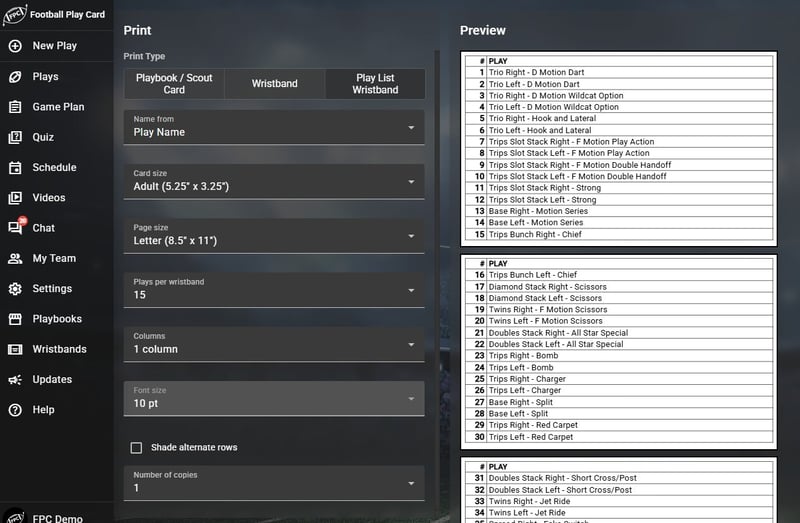
Fewer plays per wristband leaves room for full names: at 15 per card, 50 plays print across four cards.
Calling from a game plan? Print straight from your call sheet
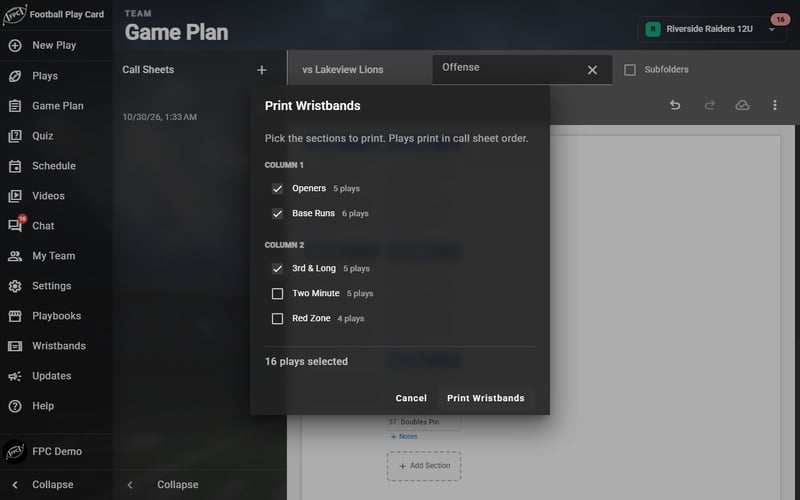
If you build a Game Planning call sheet, you do not have to rebuild it for the wristband. Send the call sheet to the wristband printer and your sections stay in the order you built them, as play diagrams or as play names with notes. See How do I print wristbands from a call sheet?
You can print from wherever you are, too. Plays, playbooks, and wristbands print straight from your iPhone, iPad, or Android device, so a change at practice does not mean a trip back to the laptop.
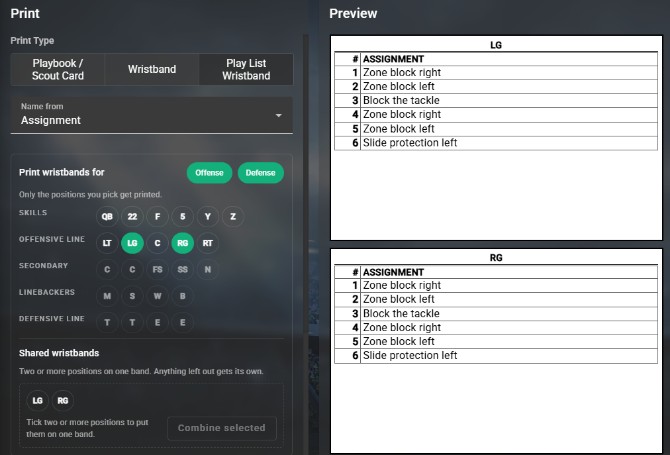
An assignment wristband gives each player their own job for every play.
Step 3: Load the wrist coach and call it
Slide the printed insert into the wrist coach windows and close the flap. Football Play Card wrist coaches are made for real game conditions: clear plastic windows on the front and back protect the insert from rain and sweat, a Velcro flap keeps it closed, and the moisture-wicking build holds up to a full season. They come in Adult, Teen, and Youth sizes, and the same wristbands are trusted by NFL players and Team USA.
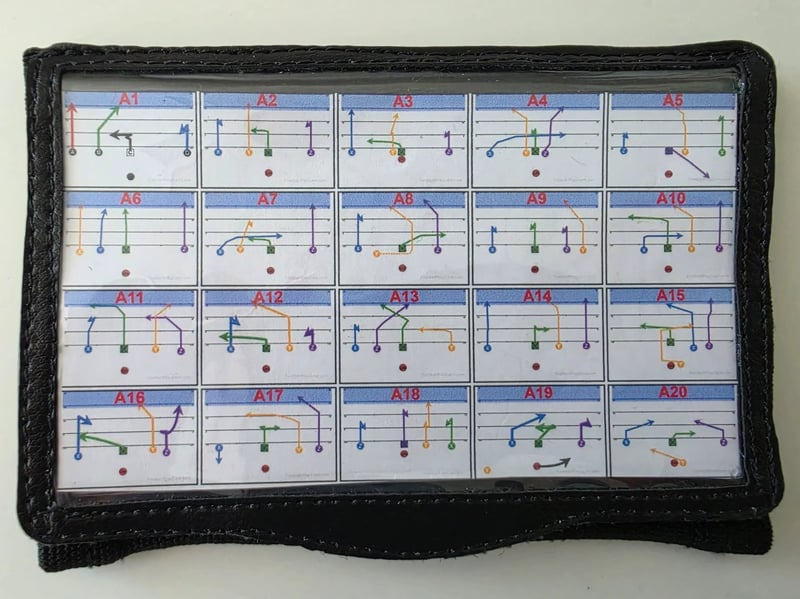
Works for tackle and flag
The workflow is the same whether you are running a flag offense or a tackle scout-team look: number your plays, print your script, load the band, and call it by number. Set your team format once, to tackle, flag, or 7 on 7, and your play cards follow it. See Does it work for 5v5 flag football teams? and Does it work for 7v7 flag football teams?
Print your first wristband
Pick ten plays, number them, and print one wristband before your next practice. Log in to Football Play Card to get started, or read the wristbands guides in our Knowledge Base.


Start your 7-day free trial · Cancel anytime.